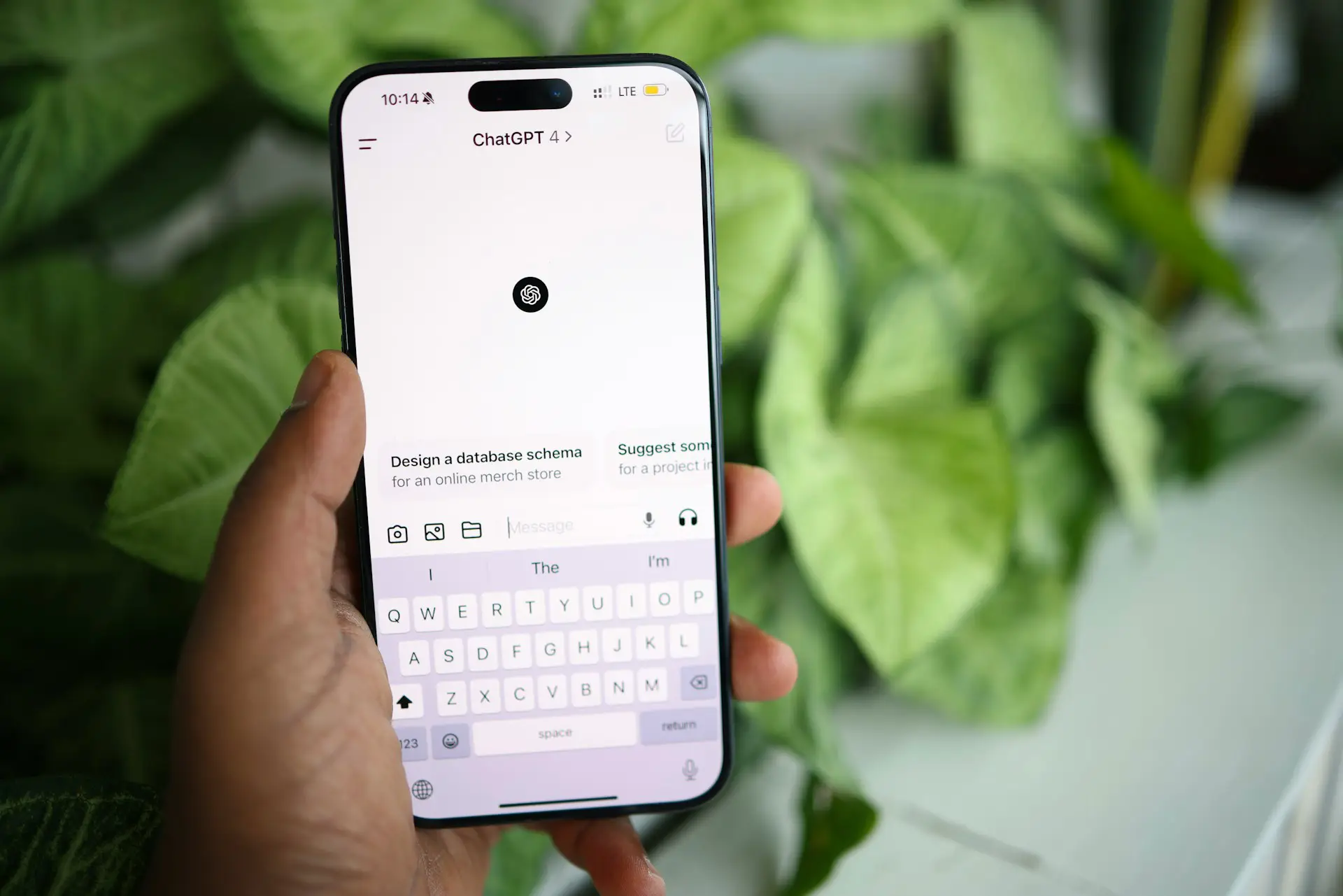
ChatGPT is an AI assistant from OpenAI that responds to questions and instructions in everyday language. You can use it to explain a topic, brainstorm ideas, draft a message, or help organize information.
You do not need to know how to code to use it. Start by describing what you need, read the response, and ask follow-up questions.
The skill to learn early is how to judge its answers. ChatGPT can produce clear, useful writing, but a confident response can still contain mistakes. This guide explains how it works, what you can do with it, and how to use it thoughtfully.
What Is ChatGPT?
ChatGPT is a conversational AI application. Instead of navigating a series of commands, you communicate through ordinary questions and instructions, known as prompts.
For example, you could ask:
Explain the difference between Wi-Fi and mobile data in simple language. Give me one everyday example of each.
You can then ask it to shorten the explanation, define an unfamiliar term, or turn the answer into a comparison.
OpenAI’s guide to using ChatGPT describes this process as starting with a question or task, adding useful context, and refining the result.
What Does GPT Stand For?
GPT stands for generative pre-trained transformer.
In simple terms:
- Generative means the model can produce content, such as text.
- Pre-trained means it went through training before you started using it.
- Transformer refers to a type of AI model architecture used to process information.
ChatGPT is the application you interact with. The AI models behind it are part of what makes its responses possible. OpenAI explains these terms in its key concepts documentation.
How Does ChatGPT Work?
The full technology is complex, but you can understand the basic process without studying machine learning.
1. You Give It a Prompt
Your prompt tells ChatGPT what you want.
“Help me write an email” leaves many details open. “Write a short email asking a client to send their website logo” gives it a clearer task.
The message you send, relevant conversation history, and any available supporting material help shape the response.
2. The Model Processes the Information
Language models process text in small pieces called tokens. A token can be a word, part of a word, or a punctuation mark.
The model uses patterns learned during training and the context available in your request to generate an answer.
This is why details matter. Asking for an explanation “for a complete beginner” can produce a different response from asking for a technical explanation.
3. It Generates a Response
At a basic level, text generation involves predicting and producing tokens in sequence, using the preceding context.
That process can produce an explanation, a draft, a list, or another format you request. OpenAI’s explanation of token probabilities describes how the likelihood of an output token depends on its context.
However, generating a plausible sentence does not prove that the sentence is factually correct.
4. It May Use Tools
ChatGPT can also use tools, such as web search, when they are available.
For example, answering a question about a recent software update may require current sources. Search can bring relevant information into the conversation so the answer does not depend only on the model’s training.
OpenAI’s web search documentation explains that search activity and citations appear when ChatGPT uses web search. Availability can depend on your account and workspace settings.
What Can You Use ChatGPT For?
ChatGPT is useful for tasks where you need help explaining, drafting, comparing, or organizing information. Here are some starting points.
| Task | Example prompt | What to check |
|---|---|---|
| Understand a topic | “Explain cloud storage to someone who has never used it.” | Whether the explanation is accurate and clear |
| Improve a message | “Make this email friendlier while keeping the meaning.” | Names, tone, dates, and commitments |
| Brainstorm ideas | “Suggest five topics for a beginner technology newsletter.” | Relevance, originality, and feasibility |
| Organize notes | “Turn these notes into a checklist.” | Missing tasks or details it added |
| Summarize text | “Summarize this article using only the text I provide.” | Whether the summary matches the original |
| Understand code | “Explain what this code does and flag possible issues.” | Whether its explanation matches the code |
For writing tasks, compare the output with your original meaning. A smoother sentence is not an improvement if it changes what you intended to say.
For learning, ask for examples and explanations you can check. If a term still feels confusing, ask it to explain that term separately.
How to Start Using ChatGPT
Open ChatGPT in your browser and follow the sign-in instructions shown. OpenAI also provides apps; its quickstart guide explains the available ways to get started.
Begin with one small task you can evaluate yourself.
Step 1: Describe the Result You Want
Tell ChatGPT what you need and who it is for.
Write a friendly, three-sentence email asking a client to send their logo file for a website project.
Step 2: Add the Details That Matter
Include the information the answer must preserve.
Ask for the original logo file if they have it. Do not add a deadline or promise when the website will be finished.
Step 3: Review the Draft
Check whether the response follows your request.
Did it add a deadline? Did it invent a project detail? Does it sound like something you would send?
Step 4: Request a Specific Change
A useful follow-up might be:
Make it warmer and remove the opening greeting. Keep it under 60 words.
You can improve the response through conversation without writing a perfect first prompt.
How to Write Better ChatGPT Prompts
A useful starting formula is:
Task + context + desired format + limits
For example:
Explain two-factor authentication to a first-time smartphone user. Use two short paragraphs and one everyday example. Define any technical terms.
This gives ChatGPT a task, an audience, a format, and a writing limit.
OpenAI’s prompting guidance recommends describing your goal, providing relevant context, and stating the output and boundaries that matter.
Give It a Source When Accuracy Matters
If you want a summary of a policy, provide the actual policy.
If you want a description of a product, provide verified specifications.
If you want a rewrite, explain which facts must stay unchanged.
You can also add:
Use only the information below. If a detail is missing, identify the gap rather than filling it in.
This makes your expectations clearer. You still need to check whether the output follows them.
Try a Small, Checkable Example
Suppose these are your notes:
Website launch meeting: Tuesday at 10 a.m. Bring the final logo. Homepage wording still needs approval.
You could ask:
Turn these notes into a short team update. Keep the meeting time unchanged and make the pending approval clear.
An illustrative response might be:
Our website launch meeting is Tuesday at 10 a.m. Please bring the final logo. The homepage wording still needs approval.
This example is useful because every detail can be compared with the original notes. It is an illustration, not a recorded test; actual responses may vary.
What Are ChatGPT’s Limitations?
Knowing its limits helps you decide when to use an answer and when to investigate further.
It Can Produce Incorrect Information
ChatGPT can give an incorrect answer that sounds convincing. AI-generated errors or unsupported claims are often called hallucinations.
Pay close attention to names, quotations, statistics, calculations, and source references. Check important details against the original material.
OpenAI’s guidance on reviewing results specifically recommends verifying claims and looking for unsupported assumptions.
Its Knowledge Can Be Incomplete or Outdated
A model’s training does not guarantee knowledge of every event, product, or policy.
OpenAI’s accuracy guidance identifies missing context and outdated knowledge as reasons models may need additional information.
For questions about current information, ask for web research when available. Then open the sources and check their dates and relevance.
It Can Misread Your Request
If a response misses the point, clarify the goal or provide the missing context.
For instance, “Explain how to install this” is less useful than naming the software, your device, and the step where you are stuck.
It Cannot Replace Qualified Judgment
Use appropriate expert review for medical, legal, financial, security, and other consequential decisions. ChatGPT may help you organize information or prepare questions, but you should not rely on its answer alone.
How to Protect Your Privacy When Using ChatGPT
Start with the minimum information needed for the task.
Before submitting material:
- Remove passwords, access codes, and account numbers.
- Replace unnecessary names and contact details with placeholders.
- Check your employer’s rules before sharing work documents.
- Review the privacy, data, and sharing settings for your account.
- Confirm what access you are granting before connecting another service.
For example, asking for help rewriting an email usually does not require the recipient’s real phone number or full address.
For account-specific privacy questions, check OpenAI’s current policies and the settings available to you rather than relying on a general article.
Is ChatGPT Free?
ChatGPT has a free plan alongside paid options. Features and usage allowances differ, and they can change.
Check OpenAI’s current plan documentation for the options available to you. For a first session, choose a small task and see whether your available tools meet your needs.
Frequently Asked Questions
Is ChatGPT the Same as a Search Engine?
ChatGPT can generate explanations and work with information in a conversation. It can also search the web when that tool is available.
An answer should not be assumed to come from a current search. Look for the search activity and supporting citations when freshness matters.
Do You Need Coding Skills to Use ChatGPT?
No. You can communicate through ordinary language. A clear description of what you need is enough to begin.
Can You Trust Everything ChatGPT Says?
No. Check important claims, especially anything involving money, health, safety, or a decision that affects other people.
What Is a Good First ChatGPT Prompt?
Choose something you already understand well enough to review.
Try:
Turn these three notes into a short checklist. Keep all the original details and do not add new tasks.
That gives you a simple way to practice asking, reviewing, and refining.
Put ChatGPT to Work on One Small Task
Start with an email, a short set of notes, or a concept you want explained. Give ChatGPT a clear goal, check the answer, and request one improvement.
As you become more comfortable, you can try larger tasks. Keep the habit of reviewing its work: that is what helps turn a useful draft into something you can confidently use.